
SOLIDWORKS Support for Manufacturing
Are Your Blueprints & Data Secure?
SOLIDWORKS Infrastructure & Performance Support for Manufacturing Operations
Modern manufacturing organizations rely on digital design platforms to develop the products, equipment, and components that ultimately reach the production floor. One of the most widely used design platforms in manufacturing is SOLIDWORKS, a computer-aided design (CAD) system used to create detailed models, assemblies, and production drawings.
In many manufacturing environments, SOLIDWORKS is directly connected to production workflows. Engineering models generate fabrication drawings, machining instructions, and bill of materials (BOM) data used by manufacturing teams. When CAD environments perform poorly, the impact is not limited to engineering departments—it can affect product development timelines, manufacturing preparation, and production efficiency.
SOLIDWORKS Environments Place Heavy Demands on IT Infrastructure
SOLIDWORKS environments place heavy demands on IT infrastructure, including workstation performance, network bandwidth, data storage, and file management systems such as SOLIDWORKS Product Data Management (PDM). When these systems are not properly designed, organizations may experience delays accessing design files, slow model loading, or version control challenges that disrupt collaboration.
Preactive IT Solutions helps manufacturers design and maintain IT environments capable of supporting high-performance CAD workflows. Preactive IT Solutions Certified Technicians help organizations optimize SOLIDWORKS infrastructure, ensuring engineering and production teams can collaborate efficiently without technology limitations slowing down manufacturing operations.
From Design to Production: Why CAD Infrastructure Matters in Manufacturing
In modern manufacturing environments, the connection between engineering design and production is tighter than ever. Digital models created in SOLIDWORKS frequently serve as the foundation for multiple manufacturing processes.
These models are used to generate:
-
fabrication drawings
-
machining instructions
-
CNC toolpaths
-
assembly documentation
-
bill of materials data
-
engineering change orders
When CAD environments experience performance issues or file management problems, those issues can cascade downstream into manufacturing operations.

How CAD Infrastructure Affects Manufacturing Workflows
| CAD Environment Issue | Manufacturing Impact |
|---|---|
| Slow assembly loading | Delayed design reviews |
| File version conflicts | Incorrect production documentation |
| PDM performance issues | Slower engineering change approvals |
| Network bottlenecks | Delayed collaboration between teams |
For manufacturers working on complex products or industrial equipment, efficient CAD infrastructure plays an important role in maintaining production schedules and minimizing design delays.

Why SOLIDWORKS Performance Problems Are Often Infrastructure Problems
Organizations sometimes assume that SOLIDWORKS performance issues are caused by large assemblies or software limitations. In many cases, the root cause is actually infrastructure constraints.
SOLIDWORKS environments rely heavily on:
- high clock-speed processors
- fast storage systems
- reliable network connectivity
- optimized workstation hardware
- responsive PDM vault servers
When any of these systems becomes constrained, engineers and manufacturing teams may encounter slow model access, delays when loading assemblies, or long rebuild times.
Even small delays can accumulate across engineering teams and slow the product development process. For manufacturers operating in competitive industries, these inefficiencies can affect time-to-market and production readiness.

Why Manufacturers Choose Preactive IT Solutions
Manufacturing organizations depend on reliable technology infrastructure to support engineering workflows, production planning, and product development. When design environments operate efficiently, teams can move from concept to production more quickly and with fewer disruptions.
Preactive IT Solutions focuses on delivering proactive IT support designed for organizations with complex operational requirements. This includes maintaining high-performance workstation environments, ensuring reliable engineering data management systems, and supporting infrastructure that enables efficient collaboration between engineering and manufacturing teams.
Engineering Workstation Performance for SOLIDWORKS
Engineering workstations are one of the most important components of a high-performance SOLIDWORKS environment. CAD applications place unique demands on computing resources compared to most business software.
SOLIDWORKS modeling operations depend heavily on single-core CPU performance, graphics acceleration, and fast storage systems.
Recommended SOLIDWORKS Workstation Configuration
| Component | Recommended Configuration |
|---|---|
| Processor | High clock-speed workstation CPU |
| Memory | 32–128 GB RAM |
| Graphics | Certified professional GPU |
| Storage | NVMe solid-state storage |
| Network | Gigabit or 10Gb Ethernet |

Key considerations include:
CPU Performance
SOLIDWORKS modeling tasks typically rely on single-thread processing. High clock-speed processors often deliver better modeling performance than CPUs designed primarily for multi-core workloads.
Memory Capacity
Large assemblies or simulation environments may require significant memory resources. Engineering teams frequently benefit from systems with 64GB or more of RAM.
High-Speed Storage
NVMe solid-state drives dramatically reduce file access times and improve responsiveness when loading models.
Our certified technicians help manufacturers design workstation environments that support the performance demands of modern CAD systems.
SOLIDWORKS PDM Infrastructure Best Practices
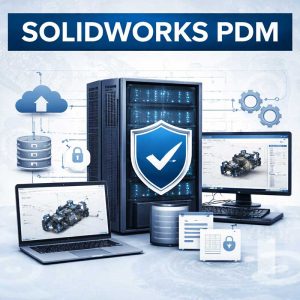 Many manufacturers rely on SOLIDWORKS Product Data Management (PDM) to manage design files, control version history, and coordinate engineering changes across teams.
PDM environments serve as centralized repositories for engineering data. When vault servers or storage systems are poorly configured, design teams may experience delays when accessing or managing files.
A well-designed PDM environment typically includes:
- dedicated vault servers
- optimized SQL database performance
- high-performance storage systems
- reliable backup infrastructure
- low-latency internal networks
Key Infrastructure Components for SOLIDWORKS PDM
| Infrastructure Component | Recommended Approach |
|---|---|
| Vault Server | Dedicated application server |
| SQL Database | Optimized database environment |
| Storage | Enterprise RAID or NVMe storage |
| Backup | Automated vault backup strategy |
| Network | Low-latency internal connectivity |

Network Infrastructure for Engineering File Collaboration
Engineering teams often collaborate across departments and facilities, sharing large CAD assemblies and design documentation. Because CAD files can be extremely large, network performance plays an important role in maintaining efficient workflows.
Slow or poorly configured networks can create delays when accessing shared models or checking files in and out of PDM vaults.
Manufacturers should evaluate several network considerations when supporting CAD environments:
- high-speed switching infrastructure
- reliable internal network architecture
- network segmentation for engineering traffic
- secure remote access for distributed teams
Network Design Considerations for CAD Environments
Network Design Considerations for CAD Environments
| Network Component | Best Practice |
|---|---|
| LAN Speed | 1Gb minimum, 10Gb recommended |
| Core Switching | Enterprise managed switches |
| Network Segmentation | Dedicated engineering VLAN |
| Remote Access | Secure optimized connectivity |
The Modern Manufacturer’s IT Playbook
Infrastructure, Security &
Compliance for Industry 4.0

Additional IT Resources for Manufacturing
- Cybersecurity for manufacturing industrial control systems
- Network infrastructure and uptime for manufacturing facilities
- IT services for industrial automation and smart manufacturing
- Manufacturing compliance and cybersecurity framework support
- SOLIDWORKS infrastructure and performance support
- Manufacturing IT Services for Texas Facilities

Optimize Your SOLIDWORKS Environment for Manufacturing Performance
Schedule a consultation to assess your SOLIDWORKS environment and
Identify opportunities to improve performance and reliability.
Supporting Manufacturing and Engineering Teams
Manufacturing organizations frequently rely on advanced design systems to develop equipment, fabricated components, and specialized industrial products. Preactive IT Solutions supports organizations operating in engineering-intensive industries across Austin, Houston, and Beaumont, where reliable CAD infrastructure plays an important role in maintaining efficient product development processes.
By aligning IT infrastructure with the needs of engineering and production teams, Preactive helps manufacturers maintain consistent performance for SOLIDWORKS environments, PDM servers, and collaborative design workflows.
Meet Some of Our Certified IT Support Specialists

Chris Collins
Project Engineer
Microsoft 365 Certified, GIAC Foundational Cybersecurity Technologies, Google Cybersecurity Professional Certificate

Marlon Hyun
IT Support Specialist
CompTIA Security+ ce Certification, Cybersecurity Compliance Framework & System Administration


Frequently Asked Questions About SOLIDWORKS
Why does SOLIDWORKS sometimes run slowly in manufacturing environments?
Performance problems are often caused by workstation hardware limitations, slow storage systems, or network latency when accessing large assemblies.
What hardware configuration is recommended for SOLIDWORKS workstations?
High clock-speed CPUs, professional GPUs, large memory capacity, and NVMe storage typically provide the best performance for CAD environments.
How should SOLIDWORKS PDM servers be configured?
PDM servers should run on dedicated infrastructure with optimized SQL databases, high-performance storage, and reliable network connectivity.
How much memory is recommended for SOLIDWORKS systems?
Most engineering workstations require at least 32GB of RAM, while complex assemblies may require 64GB or more.
How can manufacturers protect SOLIDWORKS design files?
Organizations should implement cybersecurity protections, automated backups, and offsite data replication to ensure engineering data can be recovered if systems are compromised.
How does SOLIDWORKS PDM improve manufacturing accuracy and production workflows?
SOLIDWORKS PDM helps manufacturers maintain a single source of truth for engineering data by controlling file versions, managing design changes, and ensuring that production teams are always working from the most current drawings and specifications. This reduces the risk of manufacturing errors caused by outdated or incorrect documentation. By improving version control and streamlining engineering change processes, PDM supports more accurate production planning, better collaboration between engineering and manufacturing teams, and fewer disruptions on the production floor.
Our Locations

Houston TX
Preactive IT Solutions, LP
1220 Blalock Road, Suite 345
Houston, Texas 77055
Phone: (832) 583-3707
Email: [email protected]

Austin TX
Preactive IT Solutions, LP
2505 E 6th St Suite C,
Austin, TX 78702
Phone: (512) 812-7227
Email: [email protected]

San Antonio, TX
Preactive IT Solutions, LP
700 North Saint Mary's Street, Suite 1210
San Antonio, Texas 78205
Phone: (210) 864-2929
Email: [email protected]

Beaumont, TX
Preactive IT Solutions, LP
985 I-10 St suite 103,
Beaumont, TX 77706
Phone: (409) 239-0004
Email: [email protected]
Our Technology Partners








From Data Theft to Production Shutdown: The Top 3 Ransomware Threats Facing U.S. Manufacturers in 2026
Here is a quote from our CEO & Founder, Charles Swihart's recently featured article on SecuritySenses.com
Why Manufacturing Remains a Tier-One Target
Manufacturers operate in blended environments where corporate IT systems directly support operational technology (OT). This convergence creates structural exposure:
- ERP systems tightly tied to scheduling and throughput
- Legacy Windows infrastructure supporting industrial applications
- Vendor remote access for maintenance and support
- Flat internal network architecture that enables lateral movement
- Backup repositories accessible through domain credentials
Unlike many industries, manufacturers cannot absorb extended outages. A halted production line, idle robotic assembly cell, or frozen warehouse system translates directly into lost revenue and contractual risk. Ransomware groups design campaigns around that pressure.