
Network Infrastructure & Job-Site Connectivity for Construction Companies
A network that runs perfectly in the office is worthless if the job site can’t get online.
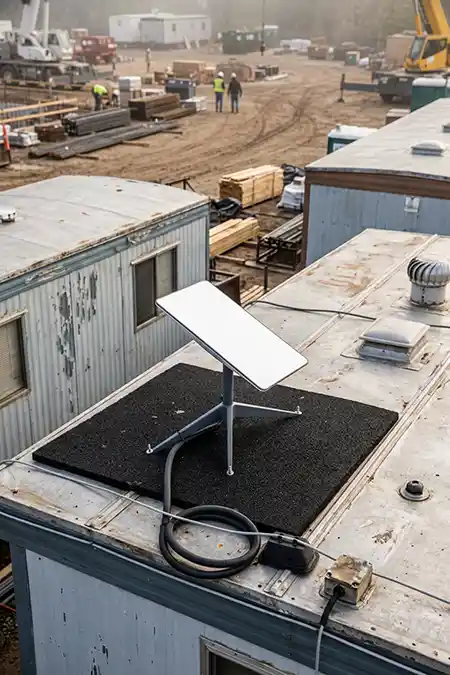
IT Infrastructure Built for the Realities of a Job Site
Reliable Connectivity From Office to Trailer
A construction company’s network doesn’t live in one building. It stretches from a permanent office to a job-site trailer that might exist for six months and then disappear, across cellular dead zones, through weather that takes down power and internet at the worst possible moment. Office IT and job-site IT are genuinely different problems, and treating them the same way is why so many construction firms end up with a network that’s reliable in the office and a liability everywhere else.
Preactive IT Solutions designs construction network infrastructure around reliability, visibility, and security — built for the reality that every site is temporary in a different way, and redundant where an outage would actually cost the project time.
Why Job-Site Connectivity Is a Different Problem
Temporary Power, Coverage & Changing Crews
A permanent office typically sits behind stable utilities, predictable users, and infrastructure that changes slowly. A construction site has none of that — it may need to be online before wired service is even available, expand coverage as structures go up, support a rotating cast of crews and devices, survive dust and weather, and then be torn down entirely when the project ends.
A workable job-site network has to address several layers at once, not just one:
- Primary internet service
- Backup/failover connectivity
- Wi-Fi coverage across trailers and active work areas
- Network segmentation and security
- Managed tablets, laptops, and phones
- VoIP and real-time application performance
- Power protection
- Monitoring and automated alerts
A superintendent who can’t pull the current drawing set, a project manager who can’t submit an RFI, or a crew that loses VoIP and cloud access isn’t dealing with a minor inconvenience — it’s lost time on a schedule with no slack built in for IT problems.
Choosing Connectivity for a Construction Job Site
Fiber, 5G, Starlink & Failover Compared
There is no single connection type that’s right for every project. The best design depends on location, project duration, available carriers, performance requirements, and how costly an outage would actually be.
| Connectivity Option | Best Fit | Key Considerations |
|---|---|---|
| Fiber / Cable | Long-duration sites where service is available | Strong performance, but installation lead time can be significant |
| 5G / LTE | Sites with reliable carrier coverage | Fast to deploy; performance varies with signal strength and network congestion |
| Starlink / Satellite | Remote or temporary sites without good wired or cellular options | Requires correct placement and should be designed as part of the full network, not a standalone fix |
| Point-to-Point Wireless Bridge | Sites near an existing fiber drop where running cable isn’t practical | Needs line of sight between antennas; strong option when a neighboring building already has fiber |
| Dual-WAN / Failover | Sites where losing internet would materially disrupt operations | Adds resilience by automatically shifting traffic to a secondary connection |
| Mesh Wi-Fi | Extending local coverage across trailers and changing work areas | Requires good access-point placement, backhaul, and ongoing adjustment as the site changes |
For higher-availability environments, Preactive IT often combines wired, cellular, and satellite services rather than treating any single connection as the entire solution.
The Construction
IT & Cybersecurity Guide
Cybersecurity, Connectivity,
Software & Compliance for Contractors

The Construction
IT & Cybersecurity Guide
Cybersecurity, Connectivity,
Software & Compliance for Contractors

Core Technologies for Reliable Construction Networks
Satellite, Cellular, Segmentation & More
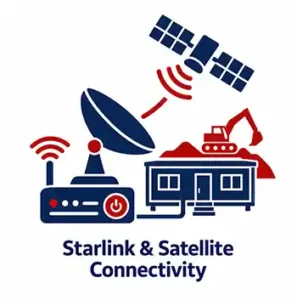
Starlink and Satellite Connectivity
Starlink — including its Business and Roam tiers, both increasingly common on job sites — can be a strong option for temporary or remote locations where wired service is unavailable and cellular coverage is weak. Its value is speed of deployment and independence from local terrestrial infrastructure.
It doesn’t replace the rest of the network, though. A Starlink terminal still needs secure routing, Wi-Fi coverage, network segmentation, device management, power protection, and monitoring behind it — the same as any other primary connection.
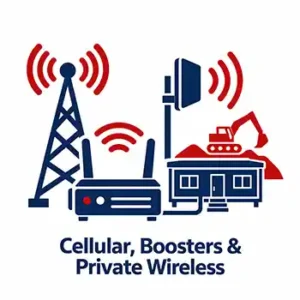
Cellular, Signal Boosters, and Private Wireless
5G/LTE can serve as primary or backup connectivity where carrier coverage is adequate, typically through a ruggedized cellular router — Cradlepoint and Peplink are two of the most common brands on construction sites specifically because they’re built for mobile, temporary deployments rather than a fixed office rack. Signal boosters can improve usable service in difficult areas, and private wireless built on CBRS spectrum is increasingly an option for larger or more complex sites that need dedicated bandwidth rather than sharing a public carrier network.
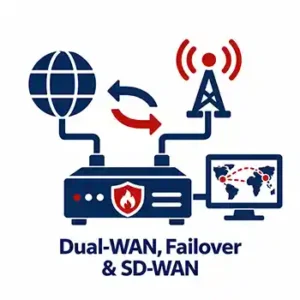
Dual-WAN, Failover, and SD-WAN
A site that can’t tolerate an internet outage shouldn’t depend on a single path to the outside world. A dual-WAN firewall — from vendors like Fortinet, SonicWall, or Cisco Meraki — can automatically fail over from a primary connection to cellular or satellite service in seconds. SD-WAN adds policy-based routing, centralized visibility, and resilience across multiple connections for firms managing several active sites at once.
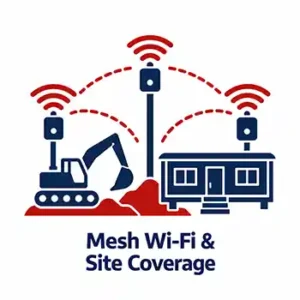
Mesh Wi-Fi and Site Coverage
A single access point rarely covers an active construction site well. Mesh or multi-access-point systems — from platforms like Ubiquiti UniFi, Cisco Meraki, or Ruckus — can extend coverage across trailers, staging areas, and structures as a site changes shape over the life of a project.
Good wireless design also accounts for changing physical conditions. Steel, concrete, stacked materials, and shifting site layout can all degrade signal quality as construction progresses, which is why job-site Wi-Fi design isn’t a one-time install.
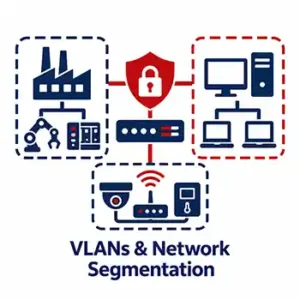
VLANs and Network Segmentation
Guest users, field tablets, VoIP phones, office systems, IoT devices, cameras, and equipment telemetry don’t all need the same level of network access. VLANs and segmentation isolate categories of devices and users so a compromised field endpoint can’t automatically provide a route into accounting systems or office servers.
That security relationship is covered in more depth on our Cybersecurity for Construction Companies page.

QoS and VoIP
Cloud applications, large drawing downloads, video meetings, and VoIP — whether through Microsoft Teams Phone, RingCentral, or a platform like 3CX — all compete for the same limited bandwidth on a job-site connection. Quality of Service (QoS) policies prioritize real-time voice and other critical traffic at the router or firewall level, so a large file transfer doesn’t make phone calls unusable in the middle of a call with a subcontractor.
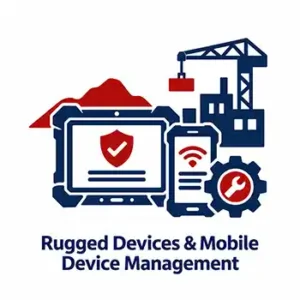
Rugged Devices and Mobile Device Management
Job-site laptops, tablets, and phones face physical conditions office devices never encounter — dust, drops, temperature swings, and moisture, which is why rugged hardware like Panasonic Toughbook or Getac devices shows up so often in the field. Mobile device management through Microsoft Intune or another MDM platform enforces security policies, tracks devices, manages updates, and protects company data when equipment is lost, damaged, or reassigned to a new project.

Equipment Tracking, Telematics, and IoT
GPS asset tracking, equipment telematics — whether a third-party platform like Samsara or Trackunit, or an OEM system like Cat Product Link or Komatsu Komtrax — cameras, drones, and job-site sensors increasingly share the same connectivity environment as user devices. Those systems create real operational value, but they also add endpoints and network traffic that have to be accounted for in the design, not bolted on afterward.
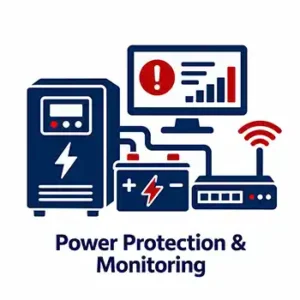
Power Protection and Monitoring
A reliable internet connection isn’t useful if the firewall, switch, modem, or access point loses power. UPS protection — from brands like APC, Eaton, or CyberPower — covers short interruptions, while larger or higher-stakes sites may add a backup generator (Generac and Cummins are common choices) for extended outages. Automated monitoring on top of that power protection is what lets a provider catch an outage in minutes instead of waiting for someone on-site to notice.

Case Study
General Contractor Network & Security Overhaul
A Texas general contractor with more than 100 employees, previously reliant on a small, reactive IT provider, now runs on a fully managed, monitored environment. Preactive IT implemented company-wide endpoint security, email filtering, backup and disaster recovery, formal help-desk support, and a redesigned high-availability network.
The engagement shows how cybersecurity improves when it is built into the infrastructure and support model instead of added as a standalone tool.
“When our network hit a critical crisis, their team jumped in without missing a beat, troubleshot the issue, and had us fully back up and running by the end of the day. Partnering with them for our ongoing IT and network needs has given us a completely different level of confidence.”
Director of Human Resources, Texas General Contractor
Schedule A Free 30-Minute Consultation
No pressure, no cost, just a simple discovery meeting so we can learn about your business and offer appropriate IT solutions.
Additional IT Resources for Construction Companies
Related Construction IT & Connectivity Pages
- Download The Construction IT & Cybersecurity Guide
- IT Services for Construction Companies
- Cybersecurity for Construction Companies
- Procore, Bluebeam & Construction Software Support
- AutoCAD, Revit & BIM Support for Construction
- IT & Cybersecurity Compliance for Construction Companies
- Construction General Contractor IT Case Study

Meet Some of Our Certified IT Support Specialists

Marlon Hyun
IT Support Specialist
CompTIA Security+ ce Certification, Cybersecurity Compliance Framework & System Administration



Frequently Asked Questions: Network Infrastructure & Job-Site Connectivity
Is Starlink good for construction sites?
Yes, when it solves the specific problem of getting reliable internet to a temporary or remote site without good wired or cellular service. It works best as part of a complete network design that also covers routing, Wi-Fi, segmentation, device security, monitoring, and power protection — not as a standalone fix.
What is the best network setup for a construction job site?
It depends on project duration, location, coverage, and downtime tolerance. A common resilient design includes a primary connection, a secondary failover path such as 5G/LTE or Starlink, properly designed mesh Wi-Fi, segmented networks, managed field devices, UPS protection, and automated monitoring.
How do I secure my construction company’s job-site Wi-Fi?
Use modern encryption, separate employee, guest, IoT, and operational traffic through VLANs, manage every device through MDM, avoid shared administrative credentials, keep network equipment patched, and prevent job-site devices from having unrestricted access to office systems.
Should a construction site have a backup internet connection?
If losing internet would stop access to project systems, VoIP, drawings, or field-to-office communication, a backup path is usually worth the cost. Dual-WAN firewalls can fail over automatically to cellular or satellite service rather than waiting for someone to manually reconfigure the site.
What is SD-WAN, and does a construction company need it?
SD-WAN is a way of managing multiple internet connections — fiber, cellular, satellite — as a single, centrally managed network with policy-based routing and failover. It’s most valuable for firms running several active job sites at once, where a single dashboard and consistent connectivity policy across every location saves real administrative time.
What is CBRS or private wireless, and when does it make sense for a job site?
CBRS is a shared spectrum band that allows a private 5G/LTE network to be deployed on a site without relying entirely on a public carrier’s coverage. It makes the most sense for large or long-duration sites with heavy device density — think IoT sensors, cameras, and equipment telematics all competing for bandwidth — where a dedicated network outperforms shared public cellular.
What is the difference between mesh Wi-Fi and internet service?
Internet service connects the site to the outside world. Mesh Wi-Fi or multiple access points distribute that connection across the local site. A fast Starlink or fiber connection can still produce a poor user experience if Wi-Fi coverage inside the trailers and active work areas is inadequate.
How does mobile device management help construction companies?
MDM enforces security settings, deploys updates, manages applications, protects company data, and can remotely lock or wipe a lost device. That matters most when tablets and laptops move constantly between offices, job sites, vehicles, and employees.
Our Locations

Houston TX
Preactive IT Solutions, LP
1220 Blalock Road, Suite 345
Houston, Texas 77055
Phone: (832) 944-6250
Email: [email protected]

Austin TX
Preactive IT Solutions, LP
2505 E 6th St Suite C,
Austin, TX 78702
Phone: (512) 812-7227
Email: [email protected]

San Antonio, TX
Preactive IT Solutions, LP
700 North Saint Mary’s Street, Suite 1210
San Antonio, Texas 78205
Phone: (210) 864-2929
Email: [email protected]

Beaumont, TX
Preactive IT Solutions, LP
985 I-10 St suite 103,
Beaumont, TX 77706
Phone: (409) 239-0004
Email: [email protected]