
Procore, Bluebeam & Construction Software Support
A Procore login failure during a submittal deadline can stop a job site as fast as a broken excavator.
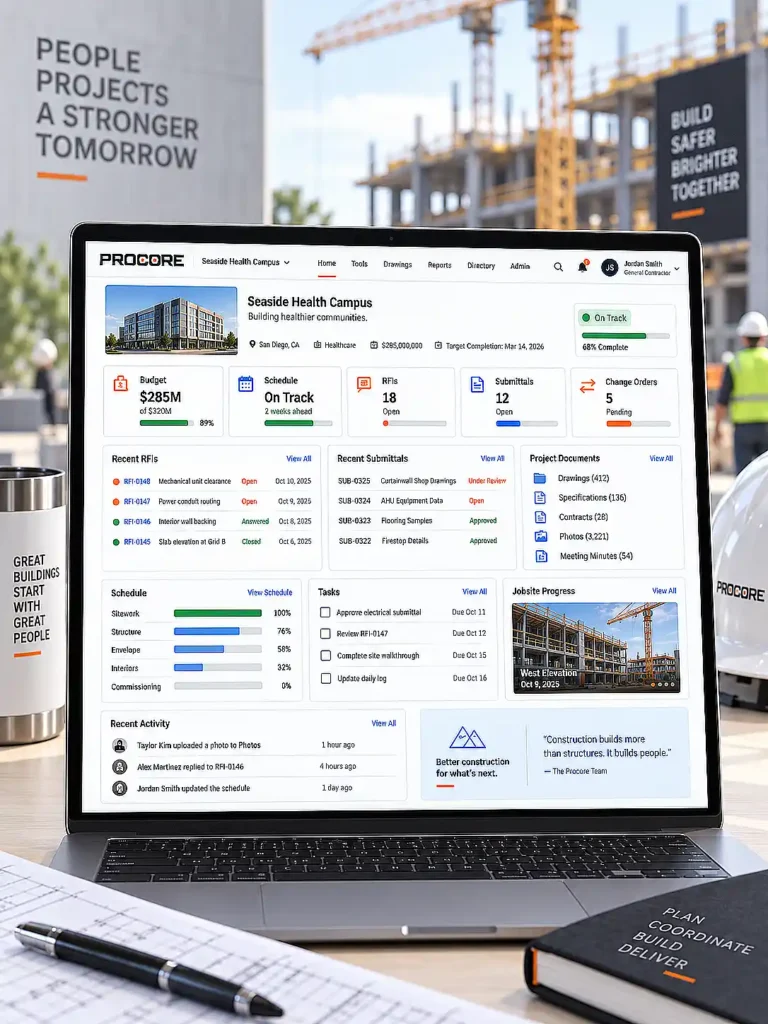
IT Support for the Construction Software Stack
The IT Layer Behind Every Project Platform
Ask any project manager what would bring their job site to a halt fastest, and the answer usually isn’t a broken excavator — it’s Procore going down during a submittal deadline, or a Bluebeam Studio session that won’t sync during a bid walkthrough. Construction runs on a specific stack of software, and that software has become as operationally critical as the tools on the job site itself.
Preactive IT Solutions supports the platforms construction firms actually use — Procore, Bluebeam, Autodesk Build, and the back-office systems tying it all together — with the same process-driven approach we bring to every part of a client’s IT environment. This isn’t software training or a replacement for a vendor’s own product support; it’s the identity, device, integration, and connectivity layer those platforms depend on to actually work.
What Is Procore, and Where Does IT Support Fit?
RFIs, Submittals & Job-Costing Data
Procore is the cloud-based construction management platform most general contractors and larger subcontractors build their operations around — connecting project teams, managing documents, tracking financials, and centralizing communication from preconstruction through closeout. It handles RFIs, submittals, budgeting, scheduling, and document control in one place, and integrates with over 500 other tools, from accounting platforms to BIM software to drone data services.
That breadth creates real IT dependencies:
- The right employees and subcontractors need the right access — and no more than they need.
- Mobile field users need reliable connectivity and managed devices, not just a login.
- Integrations with accounting, ERP, and design systems need to move data consistently, not create duplicate entry.
- Microsoft 365 identities, email, and shared collaboration systems often sit alongside Procore in the same workflow.
- A lost tablet, compromised mailbox, or stale subcontractor account can put otherwise secure project data at risk.
A misconfigured permission structure can expose bid data to the wrong subcontractor. A poor integration between Procore and your accounting platform creates job-costing errors that surface weeks later. A slow, unoptimized connection between a job-site trailer and Procore’s cloud environment can stall the RFI process at the worst possible moment. Preactive IT audits and optimizes how Procore fits into a client’s broader technology environment — access controls, integrations, and connectivity — so the platform works the way it’s supposed to, instead of becoming its own source of friction.
Procore Permissions, Identity, and User Lifecycle
Entra ID, MFA & Access Lifecycle
Construction access changes by the week, not the year. Employees move between projects, subcontractors rotate on and off a job, and owners or consultants need temporary eyes on shared information. The security challenge isn’t creating accounts — it’s controlling what happens to that access for the life of the project and after.
Preactive IT manages that identity layer with Microsoft Entra ID, Microsoft Intune, multi-factor authentication, Conditional Access, single sign-on where it makes sense, role-based permissions, and a documented onboarding and offboarding process. In practice, that means a subcontractor’s access to a shared drawing set expires when their scope of work closes out — not six months later because nobody remembered to remove it. It’s the same identity discipline behind our cybersecurity work, applied here to keep Procore, Microsoft 365, and cloud-storage permissions consistent instead of drifting apart from each other.

How Procore Works Alongside Bluebeam
Documents, Submittals & Integration Gaps
Procore and Bluebeam aren’t competing platforms — most construction firms run both, and for good reason. Procore manages the project as a whole: budgets, schedules, RFIs, and team communication. Bluebeam handles the drawings themselves: markup, takeoffs, and plan review. In September 2025, Bluebeam and Procore expanded their partnership with integrations connecting Bluebeam directly to Procore’s Documents and Submittals tools, specifically to cut down on the data silos between the two platforms.
Getting that integration configured correctly — rather than leaving teams to manually shuttle files between systems — is exactly the kind of support gap Preactive IT closes. Integration problems are rarely the application’s fault; identity permissions, browser configuration, network performance, and authentication settings are usually the real culprit.
The Construction
IT & Cybersecurity Guide
Cybersecurity, Connectivity,
Software & Compliance for Contractors


The Construction
IT & Cybersecurity Guide
Cybersecurity, Connectivity,
Software & Compliance for Contractors


What Is Bluebeam, and How Does Preactive IT Support It?
Studio Permissions, Takeoffs & BIM Security
Bluebeam Revu is the construction industry’s standard tool for PDF markup, digital takeoffs, and drawing review — and it’s a platform Preactive IT knows from the inside, not just as an integration partner. Our team includes Bluebeam Certified Professionals, the same credential referenced throughout our cybersecurity work, because the two are connected: a huge share of a construction firm’s most sensitive intellectual property — BIM exports, working drawings, markup history — passes through Bluebeam every day.
Estimators use it for precise quantity takeoffs during bidding. Architects, engineers, and project managers use Bluebeam Studio sessions for real-time collaborative markup and plan review across a project team, including subcontractors who may not have access to the full project platform. Version history and audit logging inside Bluebeam Studio create a documented record of who changed what, which matters both operationally and, increasingly, for compliance purposes.
Preactive IT’s Bluebeam support covers the areas that determine whether the platform runs smoothly or becomes a bottleneck: role-based permissions in Studio sessions so external parties see only what they should, encrypted cloud storage for master CAD and BIM files rather than local shared drives, and workstation performance tuning so large drawing sets don’t choke a laptop mid-review.

PlanGrid, Autodesk Build & the Field Collaboration Stack
Field Devices, Drawings & Job-Site Access
PlanGrid is now part of Autodesk Build within the Autodesk Construction Cloud, and most firms are either running it, migrating toward it, or operating both during the transition. Whether a client is on standalone PlanGrid or the newer Autodesk Build environment, these tools connect field users to current drawings, punch lists, issues, and project photos from a phone or tablet on the job site.
Preactive IT supports the infrastructure behind that access: mobile device management for the tablets and phones crews actually use, secure identities, and the network performance to pull large drawing sets without delay from a job site with limited connectivity. See Network Infrastructure & Job-Site Connectivity for Construction Companies for the connectivity side of that equation.
The Integration Point Most Firms Miss:
Accounting & ERP
Job Costing, Payroll & Change Orders
Project management and field software rarely operate in isolation from a construction firm’s accounting and ERP systems. Job costing, WIP reporting, and certified payroll all depend on clean data moving between the field platform and the back office without manual re-entry. Preactive IT treats this integration layer as part of the same support scope as Procore and Bluebeam themselves, not a separate project — because a construction firm’s software stack only works as well as its weakest connection point.
Without IT oversight, the same gaps tend to repeat regardless of which ERP a firm runs:
| Integration Gap | What Happens Without IT Involvement | What Proper Integration Looks Like |
|---|---|---|
| Job costing sync | Manual re-entry between Procore and the ERP; reconciliation errors surface weeks later | Cost codes and actuals sync automatically, so job costing reflects the same numbers in both systems |
| WIP reporting | Field progress data lags behind what accounting sees, skewing revenue recognition | Progress and billing data flow to the ERP on a defined schedule, keeping WIP reports current |
| Certified payroll | Compliance data pulled from two systems that don’t agree, creating audit risk | Payroll and time data reconcile automatically, producing one accurate record for compliance reporting |
| Change order & budget sync | Change orders approved in Procore don’t reflect in the ERP budget until someone remembers to enter them | Approved change orders push to the ERP budget module automatically, keeping field and accounting numbers aligned |
The same discipline applies to design-heavy workflows. For Revit, AutoCAD, and BIM-specific infrastructure, see AutoCAD, Revit & BIM Support for Construction Companies.

Case Study
General Contractor Network & Security Overhaul
A Texas general contractor with more than 100 employees, previously reliant on a small, reactive IT provider, now runs on a fully managed, monitored environment. Preactive IT implemented company-wide endpoint security, email filtering, backup and disaster recovery, formal help-desk support, and a redesigned high-availability network.
The engagement shows how cybersecurity improves when it is built into the infrastructure and support model instead of added as a standalone tool.
“When our network hit a critical crisis, their team jumped in without missing a beat, troubleshot the issue, and had us fully back up and running by the end of the day. Partnering with them for our ongoing IT and network needs has given us a completely different level of confidence.”
Director of Human Resources, Texas General Contractor
Schedule A Free 30-Minute Consultation
No pressure, no cost, just a simple discovery meeting so we can learn about your business and offer appropriate IT solutions.
Additional IT Resources for Construction Companies
Related Construction IT & Software Pages
- Download The Construction IT & Cybersecurity Guide
- IT Services for Construction Companies
- Cybersecurity for Construction Companies
- Network Infrastructure & Job-Site Connectivity
- AutoCAD, Revit & BIM Support for Construction
- IT & Cybersecurity Compliance for Construction Companies
- Construction General Contractor IT Case Study

Meet Some of Our Certified IT Support Specialists
Bluebeam Certified Professional, OSHA 10 & Procore Admin Certification
These aren’t general IT credentials — they mean our technicians already know the platforms’ quirks and workflows before they ever open a ticket, so issues get resolved faster with fewer back-and-forth diagnostic questions. It also means the person supporting your team understands construction environments directly, job-site safety included, rather than treating your business like a generic office network.



Frequently Asked Questions: Procore, Bluebeam & Construction Software Support
What is Procore and how does it help with construction project management?
Procore is a cloud-based construction management platform that centralizes RFIs, submittals, budgeting, scheduling, and document control for a project, connecting field crews, project managers, and the office on the same current data from preconstruction through closeout.
What are the main features of Procore software?
Procore’s core modules cover project management (RFIs, submittals, scheduling), financial management (budgeting, job costing), quality and safety tracking, and document control, with integrations available across accounting, BIM, and field-collaboration tools.
What types of companies commonly use Procore?
General contractors managing multiple active projects, subcontractors coordinating shared data with GCs, and owners overseeing project portfolios all use Procore, typically leaning on different parts of the platform depending on their role in a project. A GC usually runs the full project-management suite — budgets, scheduling, RFIs — while a specialty subcontractor may mainly need reliable access to shared documents and submittals.
How easy is it to integrate Procore with other construction software?
Procore supports hundreds of integrations natively, but “supported” and “correctly configured for your business” are different things. The most common gaps we see are between Procore and accounting/ERP platforms (Sage 300 CRE, Viewpoint Vista, Foundation), and between Procore and design software like AutoCAD or Revit. Getting these integrations right eliminates duplicate data entry and the reconciliation errors that come with it.
How does Procore work alongside Bluebeam?
Procore and Bluebeam are complementary, not competing — Procore manages the project as a whole (budgets, schedules, RFIs) while Bluebeam handles the drawings themselves (markup, takeoffs, plan review), and native integrations added in September 2025 now connect their Documents and Submittals workflows directly.
What is Bluebeam used for in construction?
Bluebeam Revu is used for digital takeoffs during estimating, real-time collaborative markup through Bluebeam Studio sessions, and plan review across project teams and subcontractors — with version history and audit logging that document every change.
Can Preactive IT replace Procore or Bluebeam product support?
No, and we wouldn’t want to. Preactive IT supports the technology environment around those applications — identity, endpoints, connectivity, integrations, permissions, Microsoft 365, and coordination with the vendors themselves. A licensing question or a genuine software defect still belongs with Procore or Bluebeam’s own support team; everything that determines whether those tools actually run well on your network is ours.
How should construction firms manage subcontractor access to cloud software?
Role-based access, named user accounts rather than shared logins, MFA everywhere it’s supported, documented project-level permissions, and an offboarding process that removes access the moment a subcontractor’s scope closes out. Microsoft Entra ID, Conditional Access, and Intune give you the controls to enforce that consistently instead of tracking it by memory.
Our Locations

Houston TX
Preactive IT Solutions, LP
1220 Blalock Road, Suite 345
Houston, Texas 77055
Phone: (832) 944-6250
Email: [email protected]

Austin TX
Preactive IT Solutions, LP
2505 E 6th St Suite C,
Austin, TX 78702
Phone: (512) 812-7227
Email: [email protected]

San Antonio, TX
Preactive IT Solutions, LP
700 North Saint Mary’s Street, Suite 1210
San Antonio, Texas 78205
Phone: (210) 864-2929
Email: [email protected]

Beaumont, TX
Preactive IT Solutions, LP
985 I-10 St suite 103,
Beaumont, TX 77706
Phone: (409) 239-0004
Email: [email protected]