
What managed IT services does a Houston construction firm with 3 offices and 12 job sites need?
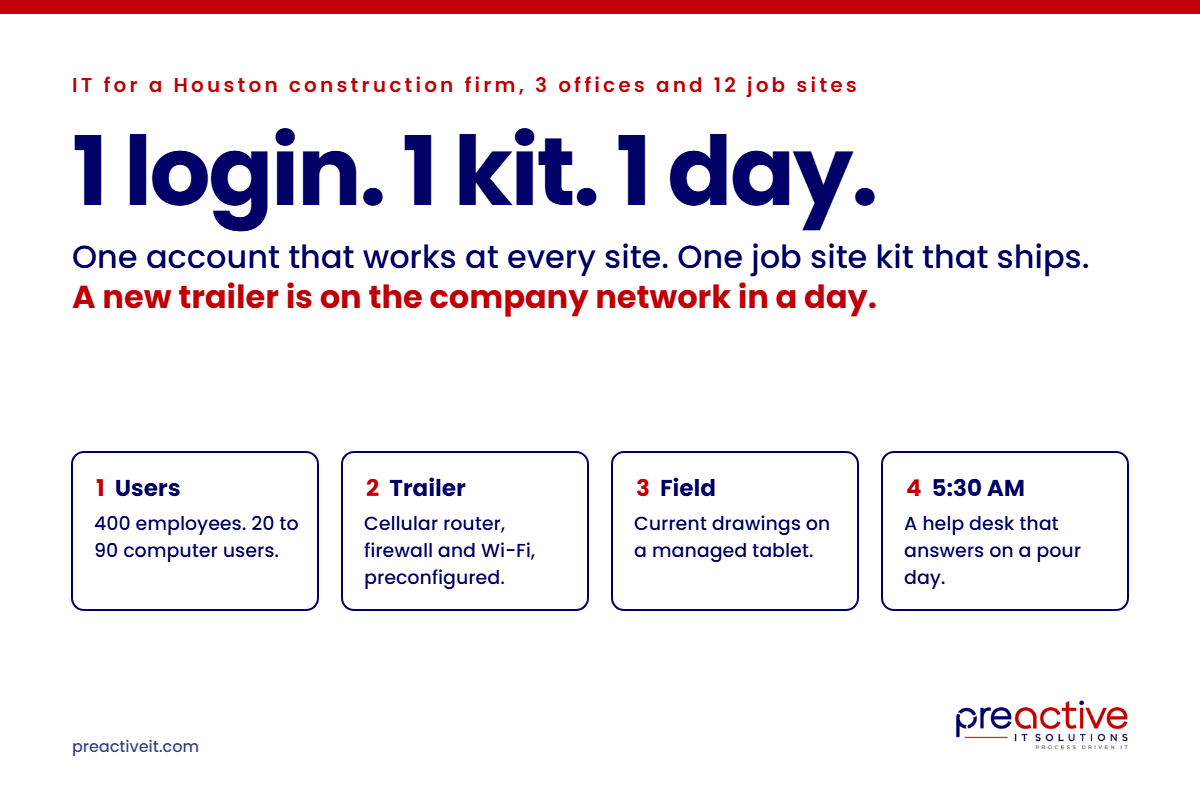
A Houston contractor with three offices and a dozen job sites needs one IT setup, not fifteen. In practice that means one identity for every employee that works at every location, one standard build for every computer and tablet, one way to connect a new job site that takes a day instead of a month and a 24/7 help desk, because superintendents start at 5:30 AM and the trailer internet does not care that it is Saturday. Managed IT services are priced by computer user, not by headcount. A 400-employee contractor like this may have anywhere from 20 to 90 users, depending on how many superintendents and project managers carry a laptop. At $160 to $180 per user per month, that is $3,200 to $16,200 a month.
This post lays out what that setup looks like, piece by piece, for a firm of that shape. It is the model Preactive IT Solutions builds for Houston construction clients, and most of it applies whether you have two job sites or twenty.
How many IT users does a 400-person construction company actually have?
Fewer than you would guess, and that changes your bill. Managed IT services are priced by computer user, not employee. A 400-person contractor might have as few as 20 computer users, or as many as 90 if every superintendent and project manager carries a laptop: estimators, accounting, HR, the owners and the office staff at each location, plus whoever in the field logs in. The other 300-plus never touch a company computer. The field crews touch IT through a shared tablet in the trailer, a time clock or a phone app, which are devices to manage, not users to license.
Count the users first. A firm that assumes it needs 400 seats of everything overpays on licenses for years. A firm that undercounts leaves superintendents working from personal phones, and that is where the invoice fraud and the lost drawings start. We wrote about the math in what managed IT services cost in Houston.
How do you connect a job site trailer to the office?
With a kit that ships, not a project that gets scoped. Every job site gets the same thing:
- A cellular router with a business data plan, which is live the day the trailer lands. Wired internet to a new trailer in Houston can take weeks to months and the job may be half done by then. Where cell coverage is bad, a satellite connection is the backup.
- A small managed firewall and Wi-Fi access point, configured before they ship so the site comes up on the company network the moment it is plugged in. The superintendent’s laptop, the site tablet and the printer work the same way they do at the office.
- A site camera or two, where the owner wants them, on the same connection.
- A label and an entry in the inventory, so when the job closes out the kit comes back, gets wiped and goes to the next site.
The twelfth trailer gets the same checklist as the first, from a tech who has run it before. It takes a day. A job site that is built as a one-off every time costs more, breaks more and leaves the superintendent calling his nephew.
What does the field crew need from IT?
Three things. None of them is a desktop.
- Drawings on a tablet that are current. The site tablet is managed like a company computer: locked down, auto-updated, signed into the project management platform and the drawing viewer, with the current set. No one is building off a PDF someone emailed in March.
- A login that works everywhere. One company account, with multifactor authentication, that opens the time clock app, the daily log, the safety forms and the shared drive from any device. When a foreman moves from the Katy job to the Baytown job, nothing changes.
- Someone to call at 5:30 AM. A help desk that answers at that hour and knows that a locked-out superintendent on a pour day is an emergency, not a ticket for Monday.
What the field does not need is admin rights, personal email on company tablets or a different app at every job site because each PM picked their own.
How should the three offices be connected?
As one network, built from one template. Each office gets the same firewall model, the same switch standard and the same Wi-Fi, configured from a template, with a secure connection between all three and to the cloud services the firm runs on. Firewalls, switches and other network gear are quoted as a separate project, not part of the monthly fee. Accounting in the main office, estimating in the second and the project team in the third all see the same files, the same printers follow the same naming and a technician can fix any office from the help desk without knowing which one he is looking at.
Servers are the big decision. Most Houston contractors this size still have one or two on-premise servers for accounting, estimating and the file archive, and that is fine as long as they are under warranty, backed up off-site and tested. A firm with three offices usually has enough file sharing pain to justify moving the file share and project data to the cloud and keeping only what has to stay local. Your account manager should put that decision in the roadmap with real costs on it. It should not be a sales pitch.
What are the security basics for a multi-site contractor?
Multifactor authentication everywhere, a phone-call rule for payment changes, patched and monitored devices, same-day offboarding and tested backups. Contractors are a target because they pay subs and suppliers by wire and ACH on instructions that arrive by email, and they run a lot of devices nobody is watching. The basics for a firm of this shape:
- Multifactor authentication on every account, including the owners and the bookkeeper. Most payment fraud starts with one mailbox that has no multifactor authentication.
- A payment-change rule that no vendor banking change is accepted without a phone call to a known number. IT cannot enforce that one. Accounting has to. We laid out the numbers on contractor payment fraud earlier this month.
- Endpoint protection and patching on every device, laptops, tablets and the trailer computer included, with monitoring someone reads.
- Same-day offboarding. Construction turnover is high. When a PM leaves, his account, his tablet and his access to the project platform are closed the same day, not when someone notices.
- Backups that are tested, including the project platform exports, because the subscription vendor backs up their platform for their own recovery, not so you can restore a project someone deleted.
- Security awareness training for every user who has email, short and regular, because the fake invoice email is going to arrive.
What do managed IT services cost a Houston contractor like this?
At $160 to $180 per user per month, a three-office contractor whose superintendents and project managers all carry laptops, say 75 computer users, pays $12,000 to $13,500 a month for managed IT services, with the 24/7 help desk, security tools, backup, monitoring, on-site support and account management included. Job site kits, cellular data plans, tablets and the project management platform are separate line items, and the kits are reused from job to job. A full-time in-house IT administrator for the same firm costs about $145,700 a year loaded before tools and covers one shift, which we broke down in managed IT versus in-house IT.
Downtime costs more than the fee. A crew of 20 standing around a trailer at, say, $45 an hour loaded is $900 an hour. A superintendent who cannot get into the drawings for a morning costs more than his monthly fee as a user. The setup above is there to make that rare. When something does break, a person answers at 5:30 AM.
Frequently asked questions
How do construction companies get internet at a job site?
Most Houston contractors use a cellular router with a business data plan, because it works the day the trailer arrives while wired service can take weeks to months. A satellite connection is the backup where cell coverage is poor. A managed IT provider ships the router with a small firewall and Wi-Fi access point, preconfigured, so the site joins the company network when it is plugged in.
How many IT users does a construction company have?
Usually far fewer than employees. A 400-person contractor may have as few as 20 computer users or as many as 90: estimators, accounting, HR and office staff, plus the superintendents and project managers who carry a laptop. Field crews use shared tablets, time clocks and phone apps, which are devices to manage rather than users to license. Managed IT services are priced by user, so counting correctly matters.
What IT does a construction superintendent need?
A managed tablet or laptop with the current drawing set and the project management platform, one company login with multifactor authentication that works at every job site, reliable trailer internet and a help desk that answers at 5:30 AM. Admin rights, personal email on company devices and a different app at every site are what a superintendent does not need.
Should a construction company with multiple offices use the cloud?
A firm at three offices is usually the right size to move file sharing and project data to the cloud and keep only accounting or estimating systems that must stay local on servers. The decision belongs in the IT roadmap with costs, not in a sales meeting. Whatever stays on-premise must be under warranty, backed up off-site and tested.
What do managed IT services cost a Houston construction company with 75 users?
At Preactive IT Solutions in Houston, $160 to $180 per user per month, so $12,000 to $13,500 a month for 75 users, with 24/7 help desk, security tools, backup, monitoring, on-site support and account management included. Job site connectivity kits, cellular data plans, tablets and project management software are separate and reused across jobs.
How fast can a new job site be set up?
About a day, when the firm uses a standard job site kit: a preconfigured cellular router, firewall and Wi-Fi access point with a checklist the technician has run before. The kit ships to the trailer, gets plugged in and the site is on the company network. Building each site as a one-off project is what turns a day into weeks.
About Preactive IT Solutions
Preactive IT Solutions is a Houston managed IT services provider specializing in construction and engineering firms, serving Texas businesses since 2003. We support organizations of 40 to 250 users with a 24/7 help desk staffed by our own technicians, one technician per 150 users, on-site support in Houston, Austin and Beaumont and an average client relationship of more than eight years. See the full managed IT services in Houston offering, or ask us what your job sites should look like.